Stop filing. Start connecting.

E-mail and documents. Meet knowledge graph.

Knowledge is pouring out of your business. Every day your people create valuable information in e-mails and documents, and it's lost to everyone else the moment one person archives a message. If money left your business at that rate, you would act today.

Graphnote keeps every file, e-mail and conversation on the topic it belongs to and links topics together, so the whole story is one click away.
Where did we put it?

Most companies keep their knowledge in three places that don't talk to each other. Documents sit in folders that someone created years ago. Files pile up in SharePoint libraries nested six levels deep. And the e-mail that explains why a decision was made sits in one person's inbox, invisible to everyone else.

A folder makes you choose one home for each file. But a contract belongs to the customer, the project and the supplier at the same time. So people copy files, guess at names, and ask colleagues whether they still have that e-mail. The knowledge isn't gone. It's just impossible to find.

Next

Meet the knowledge graph

A knowledge graph is what makes your business ready for AI agents. Labeled relationships let an AI agent reason about your processes and rules instead of guessing from folders and inboxes. See how.

Your business isn't a tree. It's a web of customers, projects, suppliers, orders, people and ideas, and the relationships between them. A knowledge graph stores exactly that: things, and the links between things as a semantic web. You move through it the way you think, from an order to its supplier, to last spring's audit, to the report.

In Graphnote, each thing is a topic. Documents and e-mail are attached to the topic they're about. Topics are joined by labeled links. There are no folders to outgrow, no single right place to file something, and no top-down structure to reorganize every couple of years.

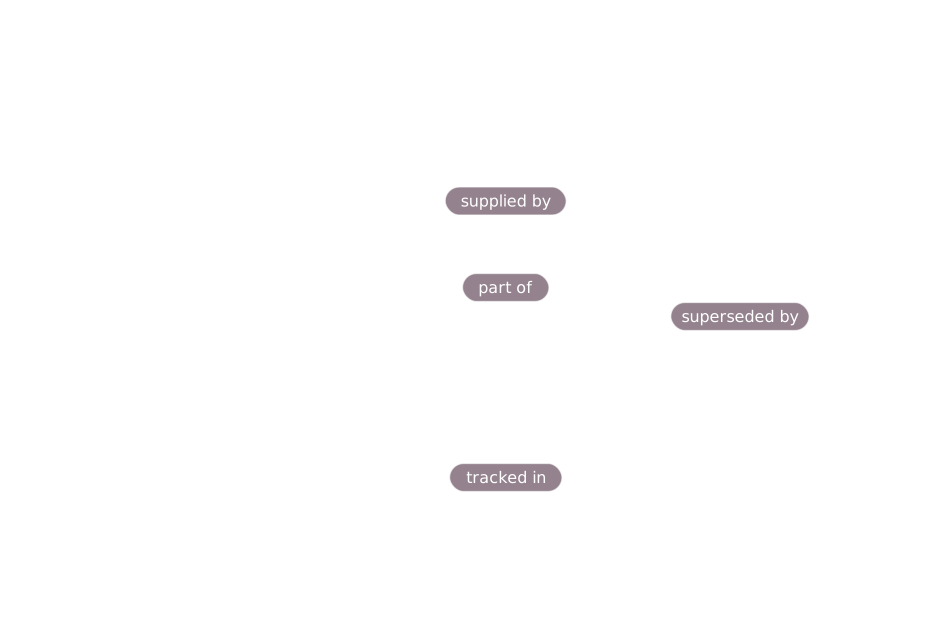
Animation: a topic called Order 4471 collects comments with attached files, then labeled links (supplied by, part of, tracked in) reach other topics and an external supplier portal.
Next

Three building blocks

That's the whole model. Everything else is built from these.

Topics

A topic is anything worth keeping track of: a customer, a project, a supplier, an order, a person, a product or an idea. Every topic belongs to an organization, has an owner or waits for one, and is either open or closed.

Comments

Work happens in short comments. Attach the PDFs, Word, Excel and PowerPoint files, images and e-mail that go with them, right on the topic. A comment belongs to exactly one topic, so context never drifts away from the thing it's about.

Edges

An edge is a labeled link from one topic to another, such as "part of" or "supplied by", or out to an external system like a supplier portal. The label says why two things are related, not just that they are.

Tags are folders that can share

Keep the habit of grouping your work. Lose the limit of one group per file.

Tags work the way folders always did. Click a tag group in the sidebar and you see everything filed under it. The difference is that a topic can carry as many tags as it needs.

Take a topic called "Order 4471". Tagged #year-2026, #acme and #urgent, it appears in all three groups at once. There are no copies, no shortcuts, and no arguments about which folder is the real one. Add a tag and the topic shows up in a new place. Remove it and the topic leaves that group. The topic itself never moves.

A folder says: one place

Each file has a single location. Reorganizing means moving or copying files. The structure is fixed by whoever built it, and everyone else has to guess how they thought.

A tag says: as many as you need

Each topic can sit in any number of groups. Reorganizing means adding a tag. You create tags as you need them, so the structure grows with the business instead of being decided up front.

Tag groups show open and closed topics alike, so last year's work stays as easy to find as today's.

Follow the links. Find what was hidden.

The most useful answer is often one step away from the question.

In a folder system, related information stays invisible unless someone remembers it exists. The supplier's quality audit is in one folder. The order is in another. Nothing connects them, so nobody looks.

Edges make the connection visible. Open a topic and its links appear as labeled pills: part of Project Falcon, supplied by Acme Components, tracked in the supplier portal. Follow "supplied by" to Acme's own topic and you find its comments, contracts and e-mail, plus its own links onward, such as the audit from last spring. You didn't search for any of it. You followed the relationships.

Links that explain themselves

Every edge carries a label you write in plain words. You always see how two topics relate, never a bare list of names.

Links that reach outside

Point an edge at a supplier portal, a tracking system or any web address, with a title and a URL. No stand-in topic needed.

Paths you can retrace

A breadcrumb trail shows the route you took to reach a topic, so you can explore freely and still find your way back.

Follow one order from start to finish

Here are those labeled links at work. A customer order, from contract review to payment received in full: every task, the documents that governed it and the systems that hold the records, all joined by links that say why.

Prefer to click around yourself? Open the live demo at demo.graphnote.io.

Work needs an owner, or a queue

A knowledge base is only useful if the work in it keeps moving.

Your list, ready when you are

"My open topics" is pinned at the top of your sidebar: every open topic you own, and nothing else. It updates itself as you take on and close work.

Shared queues for shared work

A topic can be owned by a Role instead of a person, for example "Action Item Management". Role-owned topics wait in a pool, and anyone with spare capacity can pick one up and take it on, so work doesn't stall because one person is away. Agentic AIs can be set up to pick from the topics assigned to specific Roles too, just like a colleague with spare capacity.

You decide when it's done

Open and closed are set by people, never by automation. Closing a topic records when it happened and leaves its comments and links exactly as they were. Nothing is archived or deleted behind your back.

Every topic also belongs to an organization, so even work nobody has picked up yet is never orphaned. And one search bar covers topics, edges and comments, so finding something never depends on knowing where it was filed.

Ready for AI agents

An AI can only reason about your business as well as your data describes it.

Files in folders and messages in inboxes tell an AI very little. It can read the words, but it can't see that this order belongs to that project, that this supplier was audited last spring, or who is responsible for what. Without the relationships, an AI agent has to guess.

Graphnote records those relationships explicitly. Every edge is a labeled link between two topics. Every comment sits on exactly one topic. Each topic has a clear open or closed state and, once assigned, an owner or a work queue. That is a knowledge graph, the kind of structure AI agents can navigate and reason over. As agentic AI arrives in your business, your data is already shaped for it.

Under the hood, every edge is a semantic triple: a subject, a relationship and an object, such as "Order 4471", "supplied by", "Acme Components". A triple is a compact, unambiguous way to state a fact. A graph of them lets an AI agent chain facts together, from an order to its supplier to that supplier's audit, instead of inferring them from prose.

Business processes, made visible

Work moves through topics, comments and owners. Labeled links show how orders, projects, suppliers and approvals connect, so an agent can follow a process from start to finish instead of guessing from file names.

Business rules, kept where they apply

Capture a rule as a topic, attach the policy document, and link it to what it governs with an edge such as "applies to". An agent, or a new colleague, can then find which rules apply to a given order, and why.

Optimization that starts from facts

Once relationships, ownership and history sit in one graph, an AI agent can help you spot what people miss: where work waits in a queue, which suppliers keep showing up in delayed orders, which processes have no owner.

The best time to structure your knowledge is before you need it. Graphnote starts building your graph the first time someone links two topics.

Questions you might have

How is this different from SharePoint document libraries?

A library organizes files by where they're stored. Graphnote organizes them by what they're about and how they relate. Graphnote can run on top of SharePoint as its starting backend, so there's no separate database or server to set up. Files are stored in a SharePoint document library, but people find and connect them through topics, comments, tags and edges instead of folder paths.

What happens to the e-mail sitting in people's inboxes?

Attach the message to a comment on the topic it belongs to. Its subject, sender, recipients, date and full text are stored with the topic, so the whole team can see it instead of only the person who received it.

Can I still group things the way I did with folders?

Yes. Tags work like folders, except that a topic can carry as many tags as it needs and so appears in every matching group at once. Tag groups are listed in the sidebar with a count of the topics inside.

Can I link to systems outside Graphnote?

Yes. An edge can point from a topic to an external link, such as a supplier portal or a tracking system, using a title and a URL. You don't need to create a stand-in topic for it.

What kinds of files can I attach?

PDFs, Office files (Word, Excel and PowerPoint), images, and e-mail. Each is shown with its own icon on the comment it's attached to.

Are we locked in to SharePoint?

No. Graphnote gives every object its own identifier and expresses relationships with it rather than with SharePoint identifiers. It's designed so the storage layer can be replaced later without rewriting how your topics, comments and edges connect.

Where can Graphnote be hosted?

Hosting is flexible. Graphnote can run on your existing SharePoint infrastructure, in the cloud, or on your own on-premises servers, so you can choose what fits your IT setup.

Can AI agents work from Graphnote?

Yes. A topic can be assigned to a Role, which acts as a shared work queue. Agentic AIs can be set up to pick from the topics assigned to specific Roles, just like a colleague with spare capacity. And because relationships are labeled, an agent can follow a topic's links to understand its context.

Say hello.

The quickest way to reach us is a plain e-mail. Write to hello@graphnote.io and tell us what you're trying to untangle, whether it's the folder that got out of hand or the mailbox everyone depends on. Here's why it's worth a few minutes.

Stop the leak while it's small

Every day, knowledge your people create is lost the moment an e-mail is archived in one person's inbox. Each week you wait is another week of it draining away. A short conversation is the quickest way to find out how much you're losing.

Start without a big project

Hosting is flexible: Graphnote can run on your existing SharePoint infrastructure, in the cloud, or on your own on-premises servers, so there's no need to replace what you have. Tell us where your documents and e-mail live today and we'll help you picture your first topics.

Get ready for AI agents

Labeled relationships are what let an AI agent reason about your processes and rules. The sooner your knowledge is structured, the sooner you can put it to work. We're happy to talk about what that could look like in your business.

Help shape what comes next

Graphnote is young, so the people who write to us early have real influence on what we build next. Your questions and your use case matter more now than they will later.

Write to us

hello@graphnote.io

A sentence or two is plenty: what you're trying to find, share or untangle, and roughly how many people it affects. Want to see it first? Try the live demo.